Stop checking eCourts three times a day. Nowlez syncs every CNR you add, pushes hearing reminders before every listed date, and auto-downloads orders as they publish — so the routine of case tracking becomes invisible and you get back to practicing law.
Every Indian advocate has the same problem: a growing list of active matters spread across district courts, High Courts, and tribunals, each with its own portal, its own cause-list format, and its own update cadence. Manual tracking — the daily login-and- refresh ritual on services.ecourts.gov.in — is a solved problem in theory but a broken one in practice. Hearings get missed because a date shifted after you logged out. Orders get downloaded to a desktop and never find their way to the client file. Cause lists for tomorrow's board have to be looked up one by one.
Nowlez's eCourts integration is built around the assumption that you should have to look at the portal once — when you first add the case — and then never again unless you want to verify something. Every case you add by CNR number syncs automatically from eCourts on your tier's refresh cadence. Every hearing date change triggers a notification. Every published order downloads, gets a plain-English summary from the AI, and sits in the case file where your next self-edit of a pleading needs it.
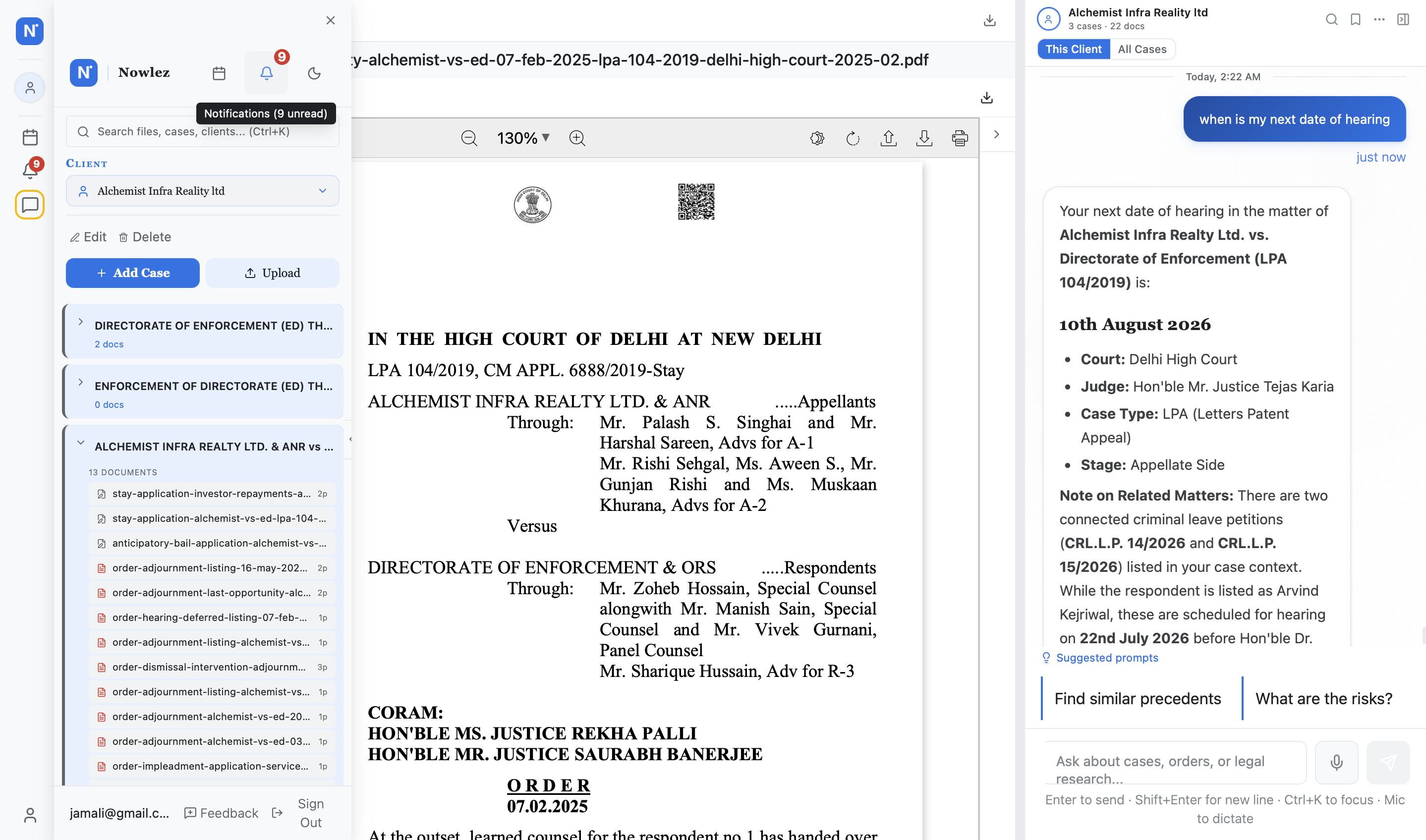
The case detail view — every hearing, every order, every party, in one scroll.
What you get out of the box
Automatic Case Sync
Add any case by CNR number. Nowlez fetches case details, hearing dates, and court orders directly from eCourts India — automatically, every day.
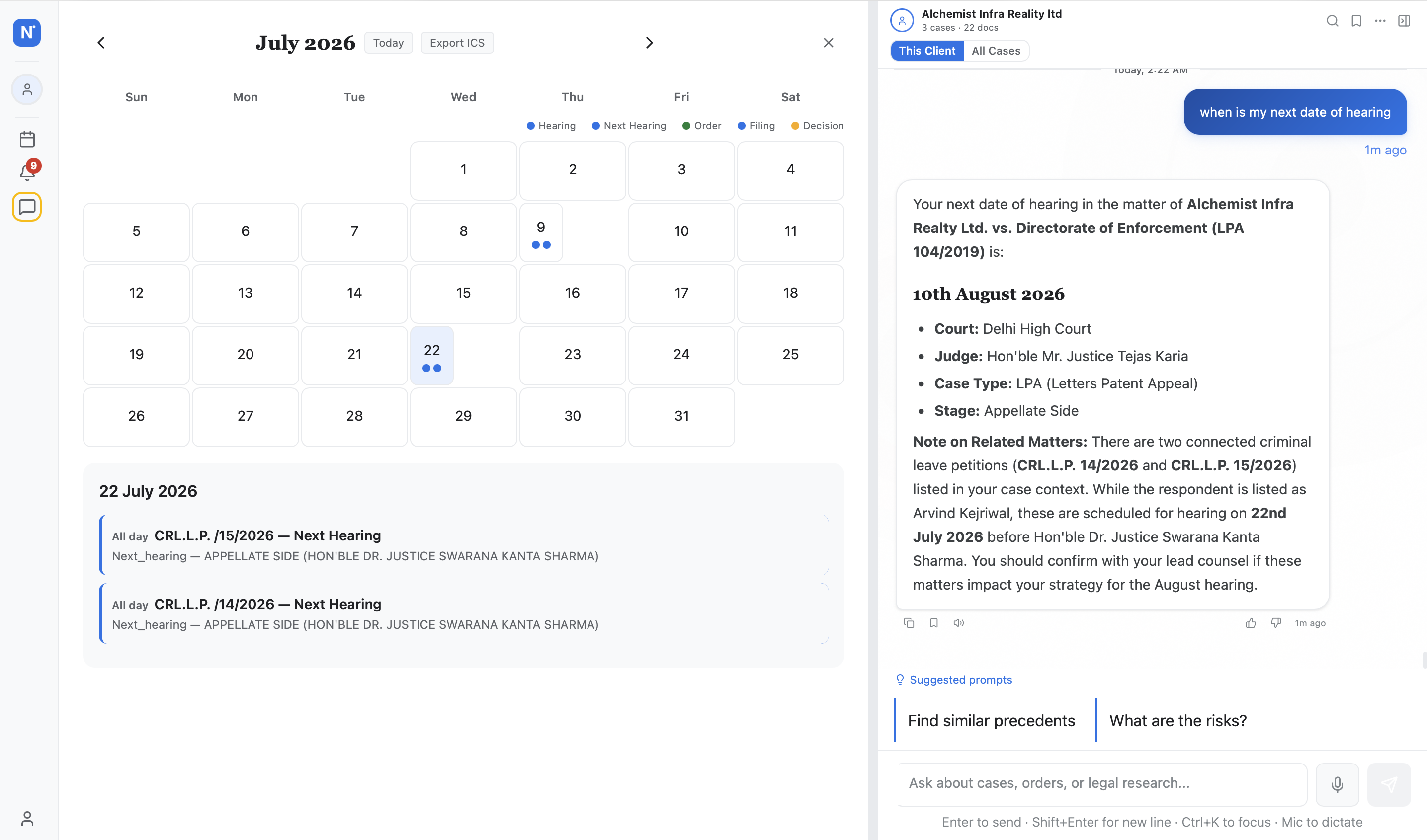
Hearing Reminders
Never miss a hearing. Get email and in-app notifications 7 days, 3 days, and 1 day before every scheduled hearing, with fresh bench and court-hall information.
Order Downloads
Court orders are downloaded automatically as they publish. Full-text search, version history, and AI-generated summaries are available instantly.
How real practices use it
Solo criminal practitioner
Adrija adds 8 active bail matters by CNR at 9am. Nowlez syncs the complete case history within an hour, flags two hearings on Thursday she didn\'t know about, and emails her the orders passed on two others overnight.
→ Saves ~4 hours/week on portal lookups
5-lawyer civil chamber
Associates add matters as they come in; the senior partner\'s dashboard shows every hearing across the chamber for the week. When the Karnataka HC shifts a listing from Bengaluru to Dharwad on short notice, everyone on the matter gets the notification.
→ Zero missed hearings across 120 active matters
In-house legal counsel
Tracks 40 matters across 7 jurisdictions — consumer forums, DRT, HC writ, arbitration. Filters the weekly dashboard to just the matters with movement in the last 7 days, forwards a one-page digest to the CFO.
→ Weekly reporting cycle dropped from 3h to 20min
The workflow, before and after
Without Nowlez
1
Log in to eCourts
Open a new tab, navigate to services.ecourts.gov.in, type in each CNR one by one.
2
Open each case manually
Click into every case, read the history, look for changes since yesterday.
3
Copy into your diary
Paper or Excel — transcribe the next hearing date, case number, court hall.
4
Hope nothing changes
Any last-minute adjournment or bench change published after you looked is invisible until you look again.
With Nowlez
1
Add by CNR once
Paste any CNR in the new-case form; we pull the full case history in the background.
2
Auto-sync on your tier\'s schedule
Advocate weekly, Counsel daily, Chambers every 15 minutes. Manual refresh is always a click away.
3
Reminders come to you
7-day, 3-day, and 1-day-before notifications with bench + hall info. Push, email, in-app.
4
Orders download as they publish
Every order gets a plain-English summary and is cross-linked to the case file automatically.
The dashboard on a Monday morning — everything listed this week across every court.
Nowlez syncs from the eCourts Services portal covering 26,000+ district and taluka courts, plus participating High Courts that publish to the National Judicial Data Grid. The Supreme Court, DRT, NCLT, and consumer forums are on the roadmap as they standardize their data exports. If you add a case whose court is not yet integrated, you can still track it manually — hearing reminders and documents work even without auto-sync.
Advocate tier refreshes weekly; Counsel tier refreshes daily; Chambers tier refreshes in near-real-time (every 15 minutes for active matters). Manual refresh is always available on any tier — tap the refresh icon on a case card and the latest status pulls in within 30 seconds.
Yes. Add the case manually with court + case number, and Nowlez will attempt to resolve the CNR by searching eCourts. Once resolved, the CNR stays linked to that matter permanently — even if the case is transferred, appealed, or renumbered, the CNR follows it and so does your tracking.
Yes. Bulk import accepts CSV or Excel; required fields are client name and one of (CNR, case number + court). A 50-matter import typically processes in under 2 minutes; CNRs auto-sync on import, case history is populated in the background. If an import row fails, you get a line-by-line error report so you can fix and retry just the failed rows.
SMS reminders are on the roadmap for Counsel and Chambers tiers (currently email + in-app + browser push). If you need SMS urgently, the push notifications work on any modern smartphone browser once installed as a PWA — you get lock-screen alerts without a dedicated app.
Your data stays with you. Export all cases (with full history, orders, and documents) as a ZIP from Account Settings at any time — before, during, or after your subscription. Cancellation does not delete data; it stops sync and limits your ability to add new matters. Reactivation restores full access instantly.
Yes, for any High Court that publishes case data to eCourts or the NJDG (most now do, though with varying freshness). For HCs that maintain separate portals (Delhi HC, Bombay HC), we sync from those portals too; roster and cause-list data is pulled wherever publicly available. Our per-state guides cover the specific quirks of each major HC.
We sync directly from eCourts and the relevant HC portal, not from a third-party scraper. The data you see is the same data the court publishes. That said, eCourts itself occasionally lags by a day on a last-minute adjournment — we flag any case where the next-hearing date has changed in the last 24 hours with a "verify" indicator so you cross-check before travel. The single most reliable habit: glance at the eCourts cause list the morning of your hearing.
Yes — the MUNSHI WhatsApp bot delivers hearing reminders, causelist, and order PDFs directly into WhatsApp. It is free for up to 10 cases. Start at https://www.nowlez.com/whatsapp-alerts.
Available on Advocate (weekly sync), Counsel (daily), and Chambers (real-time) plans.